SMS Consent
How SMS opt-in works.
This page documents how Tongue collects and manages SMS consent from users.
Opt-in flow
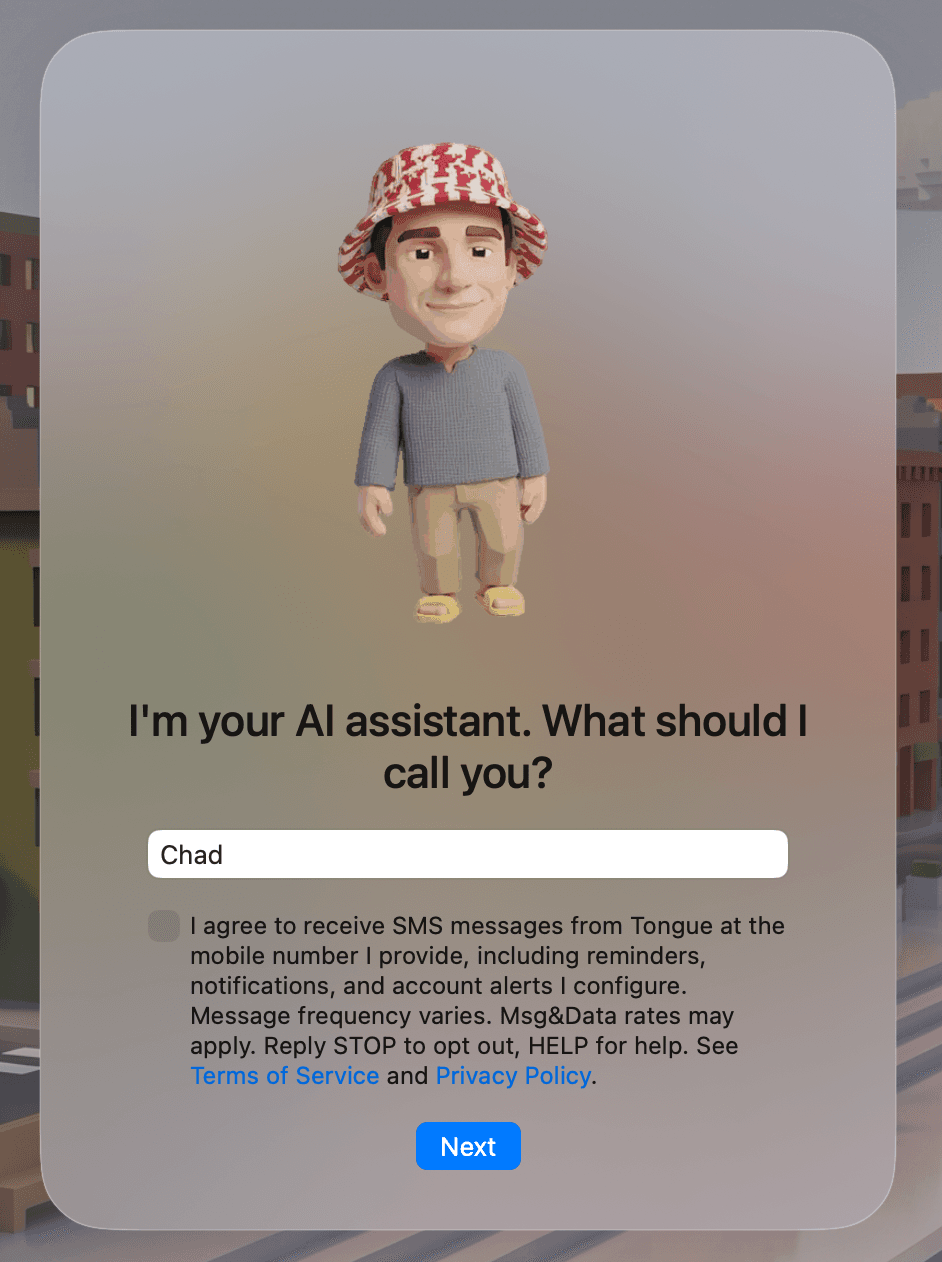
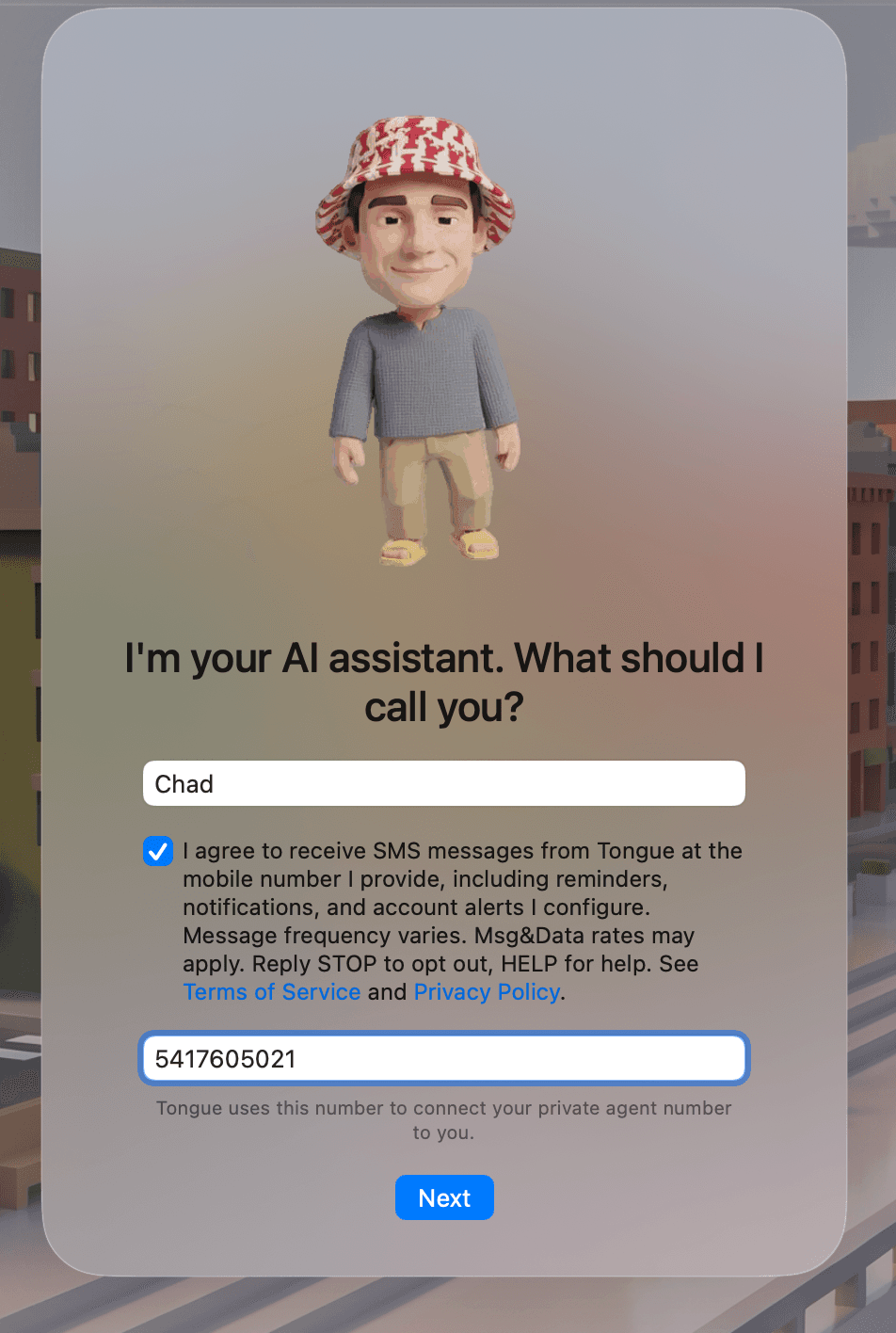
SMS consent is collected during in-app onboarding in the Tongue desktop application (macOS and Windows). After a user creates their account and opens the app for the first time, they are shown a setup screen that includes the following unchecked consent checkbox:
“I agree to receive SMS messages from Tongue at the mobile number I provide, including reminders, notifications, and account alerts I configure. Message frequency varies. Msg&Data rates may apply. Reply STOP to opt out, HELP for help.”
The checkbox is unchecked by default. The user must actively check it to proceed. No SMS messages are sent unless the box is checked, and the mobile number field is not even shown until the user actively consents. SMS is optional — users can continue onboarding without enrolling in SMS.
Screenshots of the consent UI
The two screenshots below show the exact consent screen presented to users during onboarding, in both its default (unchecked) state and after the user actively consents.
Required disclosures
- Brand name: Tongue (Chad Newbry LLC)
- Message frequency: Varies based on the alerts and reminders the user configures
- Pricing:Msg&Data rates may apply
- Opt-out: Reply STOP at any time, or disable SMS in app settings
- Help: Reply HELP for help
- No third-party sharing: Mobile numbers are never sold or shared with third parties. See our Privacy Policy.
Revoking consent
Users can opt out at any time by replying STOPto any message, or by navigating to Settings → Profile in the Tongue app and toggling off SMS. After opting out, no further messages are sent.
Questions? support@trytongue.com